Navigation
Install the app
How to install the app on iOS
Follow along with the video below to see how to install our site as a web app on your home screen.
Note: This feature may not be available in some browsers.
More options

-

How do I... ?
Hit bigfooty.com/howto to find out how to change your user name, delete your account, post a new thread, post pictures and videos and much more.
Open a Support Ticket if you have a specific support issue.
-
Mobile App Discontinued
Due to a number of factors, support for the current BigFooty mobile app has been discontinued. Your BigFooty login will no longer work on the Tapatalk or the BigFooty App - which is based on Tapatalk.
Apologies for any inconvenience. We will try to find a replacement.




You are using an out of date browser. It may not display this or other websites correctly.
You should upgrade or use an alternative browser.
You should upgrade or use an alternative browser.
News Forum Upgrade Feb 2024
- Thread starter Chief
- Start date
- Tagged users None
🥰 Love BigFooty? Join now for free.


Engimal v3
Brownlow Medallist


On mobile (Android) it seems to slim down to a single column - but with a different indentation. Not a big issue, just FYI.Yes it is expected. Let me know if it works for you.

Log in to remove this Banner Ad


- Apr 23, 2016
- 40,395
- 62,618
- AFL Club
- Essendon
Yes it is expected. Let me know if it works for you.
This has been throwing me all morning!
- Apr 23, 2016
- 40,395
- 62,618
- AFL Club
- Essendon
What specifically? Single column on a mobile? Double column on desktop?
Double on the desktop, it's a bit jarring going from single column on some of the categories to double. Also years of muscle memory navigating to SRP to argue with Gralin.
- Apr 23, 2016
- 40,395
- 62,618
- AFL Club
- Essendon
The goal is to reduce scrolling and bring the links closer together.
I just find it a bit haphazard going from single to double and back again as you go down the list, maybe if the whole lot was double it would feel less jarring?

DarkPhoenix
Cont-Roo-Versial


- May 26, 2009
- 44,802
- 68,023
- AFL Club
- North Melbourne
- Other Teams
- ManCity, Cardinals, Avalanche
Not sure if its a part of the recent upgrade, or if this is an older thing I've never noticed, or even if it's just a problem for me.
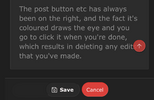
But, when you're editing posts the cancel button is the button that's highlighted/coloured, and it's on the right side.
The post button etc has always been on the right, and the fact it's coloured draws the eye and you go to click it when you're done, which results in deleting any edits that you've made.
But, when you're editing posts the cancel button is the button that's highlighted/coloured, and it's on the right side.
The post button etc has always been on the right, and the fact it's coloured draws the eye and you go to click it when you're done, which results in deleting any edits that you've made.


 DRAGONS FFC
 - Moderator
- #37
Haven't seen it mentioned in the thread, but what's the go with the copy and paste of gifs from browser search into the forum inserting as static images?
(Chrome browser on windows, Safari on iphone)
Have got around by saving, then uploading as attachment.
Non-urgent, just extra clicks.
(Chrome browser on windows, Safari on iphone)
Have got around by saving, then uploading as attachment.
Non-urgent, just extra clicks.
- Moderator
- #39
Google image search.Don't know. What type of GIFs? Off of a gif site?
Been happening since the upgrade, just not one of those urgent things.


Millky95
Starchild > You


Find the URL and use the below coding:Haven't seen it mentioned in the thread, but what's the go with the copy and paste of gifs from browser search into the forum inserting as static images?
(Chrome browser on windows, Safari on iphone)
Have got around by saving, then uploading as attachment.
Non-urgent, just extra clicks.
Code:
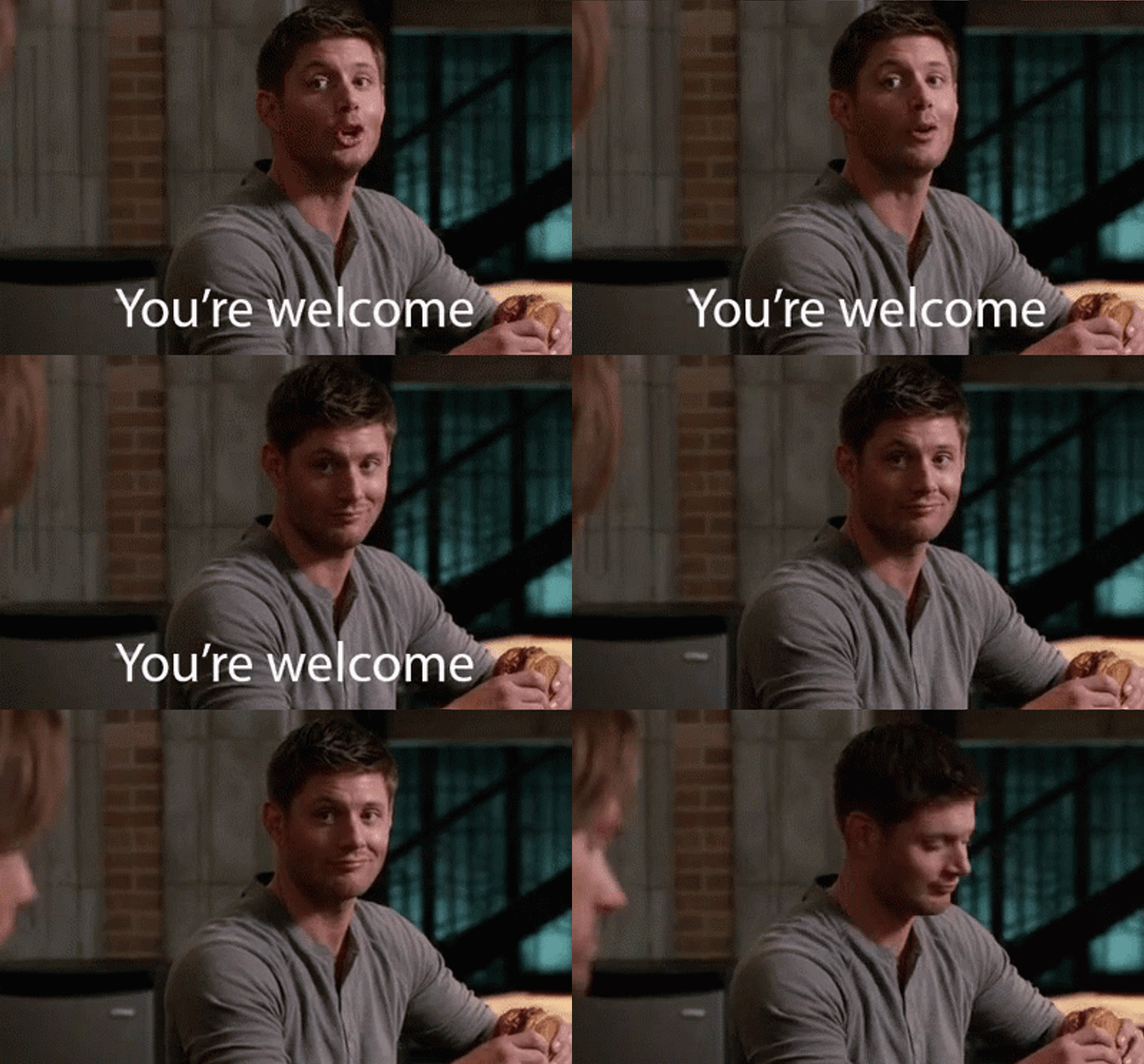
[img]https://gifdb.com/images/high/youre-welcome-jensen-ackles-024d4sio1prcbm5u.gif[/img]Which will pop up as:
- Moderator
- #42
Cheers.Find the URL and use the below coding:
But with your gif's URLCode:[img]https://gifdb.com/images/high/youre-welcome-jensen-ackles-024d4sio1prcbm5u.gif[/img]
Which will pop up as:
Used to be able to just drag and drop though.
Think most just use the embedded gif store.This is the first I've heard of it.
And everyone else has just been working around it.
Just one of those quirks.
- Moderator
- #43
Copy & Paste:
Using the img coding:

EDIT: Will just keep saving when I need to. One of those interesting, but non important things.
Using the img coding:
EDIT: Will just keep saving when I need to.
One of those interesting, but non important things.🥰 Love BigFooty? Join now for free.
- Moderator
- #45
Typical big tech.Oh - your copy and paste is a PNG file.
The url encoding is from Google, not the original site where the image resides.
If it worked before doing exactly the same thing, Google has changed their system.
Wait, think I was using the wrong link.


Tonga Bob
Call me Ishmael


- Oct 26, 2013
- 38,194
- 93,913
- AFL Club
- Fremantle
- Other Teams
- SFFC, LFC, ADO, CI Warriors
- Moderator
- #46
Hi Chief, long time complainer first time poster.
Not sure if this has been mentioned anywhere, but when you edit a post and you're on dark more the Cancel button is the highlighted one and Save button is not.
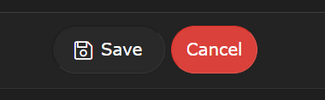
As a result I keep pressing Cancel instead of Save. My UX colleagues at work would chuck stuff at their screens over this.
Thank you for listening.
Not sure if this has been mentioned anywhere, but when you edit a post and you're on dark more the Cancel button is the highlighted one and Save button is not.
As a result I keep pressing Cancel instead of Save. My UX colleagues at work would chuck stuff at their screens over this.
Thank you for listening.


Chief
~ Shmalpha ~
- Thread starter
- Admin
- #47
I will pass it on to the theme devs.Hi Chief, long time complainer first time poster.
Not sure if this has been mentioned anywhere, but when you edit a post and you're on dark more the Cancel button is the highlighted one and Save button is not.
View attachment 1989938
As a result I keep pressing Cancel instead of Save. My UX colleagues at work would chuck stuff at their screens over this.
Thank you for listening.
Chief
~ Shmalpha ~
- Thread starter
- Admin
- #48
These colours should now be swapped.Hi Chief, long time complainer first time poster.
Not sure if this has been mentioned anywhere, but when you edit a post and you're on dark more the Cancel button is the highlighted one and Save button is not.
View attachment 1989938
As a result I keep pressing Cancel instead of Save. My UX colleagues at work would chuck stuff at their screens over this.
Thank you for listening.