Remove this Banner Ad

PC Pc Gaming/building thread

  • Thread starter Thread starter TheKanga
  • Start date Start date
  • Tagged users Tagged users None

🥰 Love BigFooty? Join now for free.

Woohoo. I hope it goes smoothly!

Are you putting it together for a test before putting it in the case?

Me too! Already shitting bricks about AIO installation haha.

Was your MB setup similar? (Hope I'm not wrong here) but IO shield seems to be pre-installed? MB lines up with the standoffs so assuming not an issue.
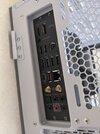
PXL_20220218_235400933.jpg
 
Putting the existing Lan Cool case fans on the AIO, but the fans are 3 pins (through looking online DC?) Reading in general it's ok just switching to DC mode in bios, but is it advisable for the fans that are on the radiator?

Edit: Think I need to put the AIO fans on otherwise think I need a control box/splitter. Kraken looks to have a daisy chain system.
 
Last edited:
Putting the existing Lan Cool case fans on the AIO, but the fans are 3 pins (through looking online DC?) Reading in general it's ok just switching to DC mode in bios, but is it advisable for the fans that are on the radiator?

Edit: Think I need to put the AIO fans on otherwise think I need a control box/splitter. Kraken looks to have a daisy chain system.

NZXT fans can daisy chain. 3 pin is DC and 4 pin is PWM and without checking but now that you mention it the Kraken might want that for variable control. The fan plugs will typically have a keyway in that you can plug 3 pin into a 4 pin (motherboards are like this for example). It should be universal so if the case fans fit the socket then it should work. The keyway is done so the correct pins go in the correct way. If it simply doesn't fit then you'll have to use the supplied fans. Are the case fans RGB? I assume the case would come with its own RGB controller. A work around would be if you want to still use the case fans on the rad is to put them into the CPU and OPT CPU fan points (did you end up getting the 360mm rad? In which case you'd need a y-splitter for this) but then you have to set the cooling profile first in BIOS before allowing CAM to do it. I know you want to keep it as straight forward as possible so IMO stick to supplied fans for the rad. Any reason you didn't end up front mounting? You could use the supplied fans and just forget about it then.
 

Log in to remove this Banner Ad

NZXT fans can daisy chain. 3 pin is DC and 4 pin is PWM and without checking but now that you mention it the Kraken might want that for variable control. The fan plugs will typically have a keyway in that you can plug 3 pin into a 4 pin (motherboards are like this for example). It should be universal so if the case fans fit the socket then it should work. The keyway is done so the correct pins go in the correct way. If it simply doesn't fit then you'll have to use the supplied fans. Are the case fans RGB? I assume the case would come with its own RGB controller. A work around would be if you want to still use the case fans on the rad is to put them into the CPU and OPT CPU fan points (did you end up getting the 360mm rad? In which case you'd need a y-splitter for this) but then you have to set the cooling profile first in BIOS before allowing CAM to do it. I know you want to keep it as straight forward as possible so IMO stick to supplied fans for the rad. Any reason you didn't end up front mounting? You could use the supplied fans and just forget about it then.

Front mounting the rad still but think I'm confusing myself with the connectors big time.

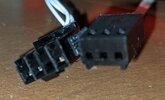
These are the two connectors that come off the case fans. Think they're ARGB.

PXL_20220219_065241558.jpg
 
Front mounting the rad still but think I'm confusing myself with the connectors big time.

These are the two connectors that come off the case fans. Think they're ARGB.

View attachment 1330598

Should be able to just plug the fans into the pump. It will have some flying leads coming off of.
 
Ry009 how did it go?

Cooking with gas!

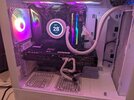
Big weekend doing other stuff, so finished the install today. Need to put the plates on the back to cover the cables but updated the BIOS and installed Windows, so will do all that as well as installing everything tomorrow.

PXL_20220220_080336645.jpg
 
Cooking with gas!

Big weekend doing other stuff, so finished the install today. Need to put the plates on the back to cover the cables but updated the BIOS and installed Windows, so will do all that as well as installing everything tomorrow.

View attachment 1331214

If you have any issues with noise then put the rad fans on the other side as pull. Not only does blowing into the rad make a bit more noise but, while splitting hairs, you have dead cooling spots directly under the centre of the fans.
 
If you have any issues with noise then put the rad fans on the other side as pull. Not only does blowing into the rad make a bit more noise but, while splitting hairs, you have dead cooling spots directly under the centre of the fans.

I did remember what you said about pull but wanted to give them a go as push. Know I've essentially got it idling but it's amazingly quiet.

I ended up putting the Kraken fans back on the rad. I'll prob look at getting some fans for the bottom of the case as well as replacing the case fans eventually.
 
I did remember what you said about pull but wanted to give them a go as push. Know I've essentially got it idling but it's amazingly quiet.

I ended up putting the Kraken fans back on the rad. I'll prob look at getting some fans for the bottom of the case as well as replacing the case fans eventually.

Have you setup CAM yet? Once you get the hang of it setup a custom cooling profile and set your intake to run about 50% harder than your exhaust. This will just help keep dust out.
 
Cooking with gas!

Big weekend doing other stuff, so finished the install today. Need to put the plates on the back to cover the cables but updated the BIOS and installed Windows, so will do all that as well as installing everything tomorrow.

View attachment 1331214
Awesome!
 
Have you setup CAM yet? Once you get the hang of it setup a custom cooling profile and set your intake to run about 50% harder than your exhaust. This will just help keep dust out.

Just setup, but no clue how to do it. I've just updated the settings to performance for the CPU.

Also....should have listened to you RE: fan pull lol.

Once I installed NVIDIA drivers, the fans started to fire up a bit and idling towards 50-60c. Did you have much grief with this with changing fans with the cooler connected?
 

Remove this Banner Ad

Just setup, but no clue how to do it. I've just updated the settings to performance for the CPU.

Also....should have listened to you RE: fan pull lol.

Once I installed NVIDIA drivers, the fans started to fire up a bit and idling towards 50-60c. Did you have much grief with this with changing fans with the cooler connected?

Default profiles are probably running them too hard and/or responding to CPU temp spikes which shouldn't matter on water. I'll take a screenshot of my cooling profile when I get home. I have two, one for general use and one specifically for gaming but I've found my general one is good enough. You also may have PBO. I think I turned it off at one point to compare performance. Temps dropped significantly at little cost to performance. Can't remember if I ever turned it back on lol. I will check.

I actually based my rad fan curve off GPU temp and not CPU/liquid temps. In fact all of my fans are based off GPU temps. On water heat is constantly being drawn away and the rad fan speed won't do a great deal since the CPU temp is going to respond more to liquid temp. The CPU temp will spike from doing things like opening a new application or browser tab and it's pointless the fans or pump responding to it. Where as when you're gaming the CPU temp is going to rise as well as the GPU. Since the GPU is air cooled it's better to feed that air. So I run my rad intake fans at about 50% harder than my exhaust and the whole setup responds to GPU temp.

When I first built it I remember my 5900x did run a little warm and googling it I read it was common. I updated the drivers and I don't know if it's just settled down but now I idle high 30s, sometimes low 40s on the CPU. It also matters what software you are looking at. The first core will always run the hottest which is normal. The package temp should be lower.
 
1IlhYXT.jpg


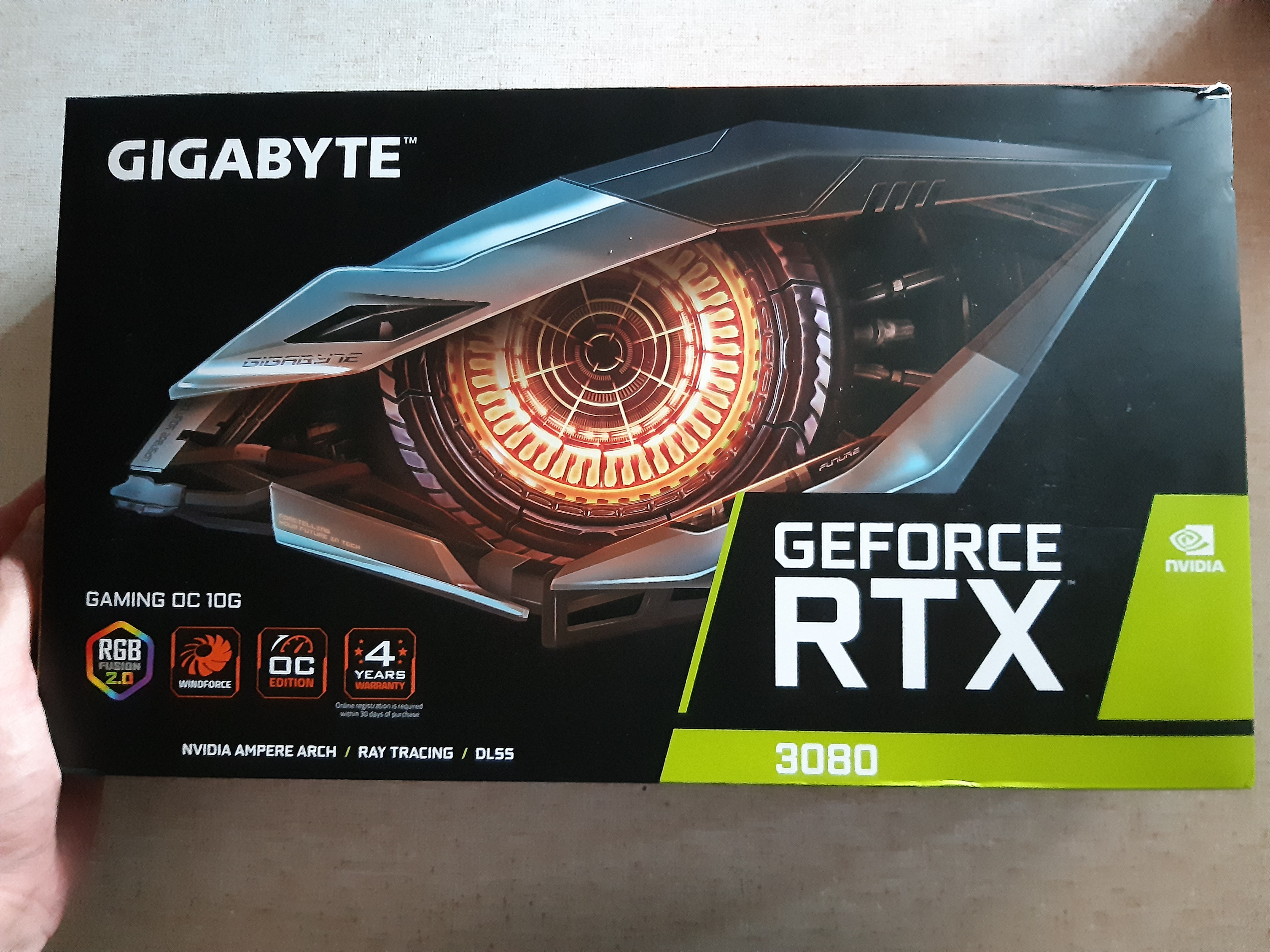
Cancelled waiting on PLE after a year and got this from bpctech.

giphy.gif
 

🥰 Love BigFooty? Join now for free.

Perfect excuse to build a second system!

I've already got half a server rack on the floor!

Any more shit and my wife will divorce me.
 

Remove this Banner Ad

Remove this Banner Ad

🥰 Love BigFooty? Join now for free.

Back
Top Bottom