


Art Vandelay_
OhhYessssss


- Joined
- Oct 28, 2012
- Posts
- 117,964
- Reaction score
- 168,785
- AFL Club
- Geelong
- Other Teams
- Bushrangers.
What's people's usual method of clearing dust from your rig?

Get down and dirty.
Follow along with the video below to see how to install our site as a web app on your home screen.
Note: This feature may not be available in some browsers.


StK v HAW · CAR v GEE · SYD v RIC · BL v FRE · WB v COL · MEL v GWS · WCE v ESS ·
Weekend Wrap and "Liked, Learned, Hated" right here -- How did tipping go?
What's people's usual method of clearing dust from your rig?


What's people's usual method of clearing dust from your rig?
Compressed air can I got did SFA.
Looking at electrical blow/vac but a lot of people say stay clear due to components.
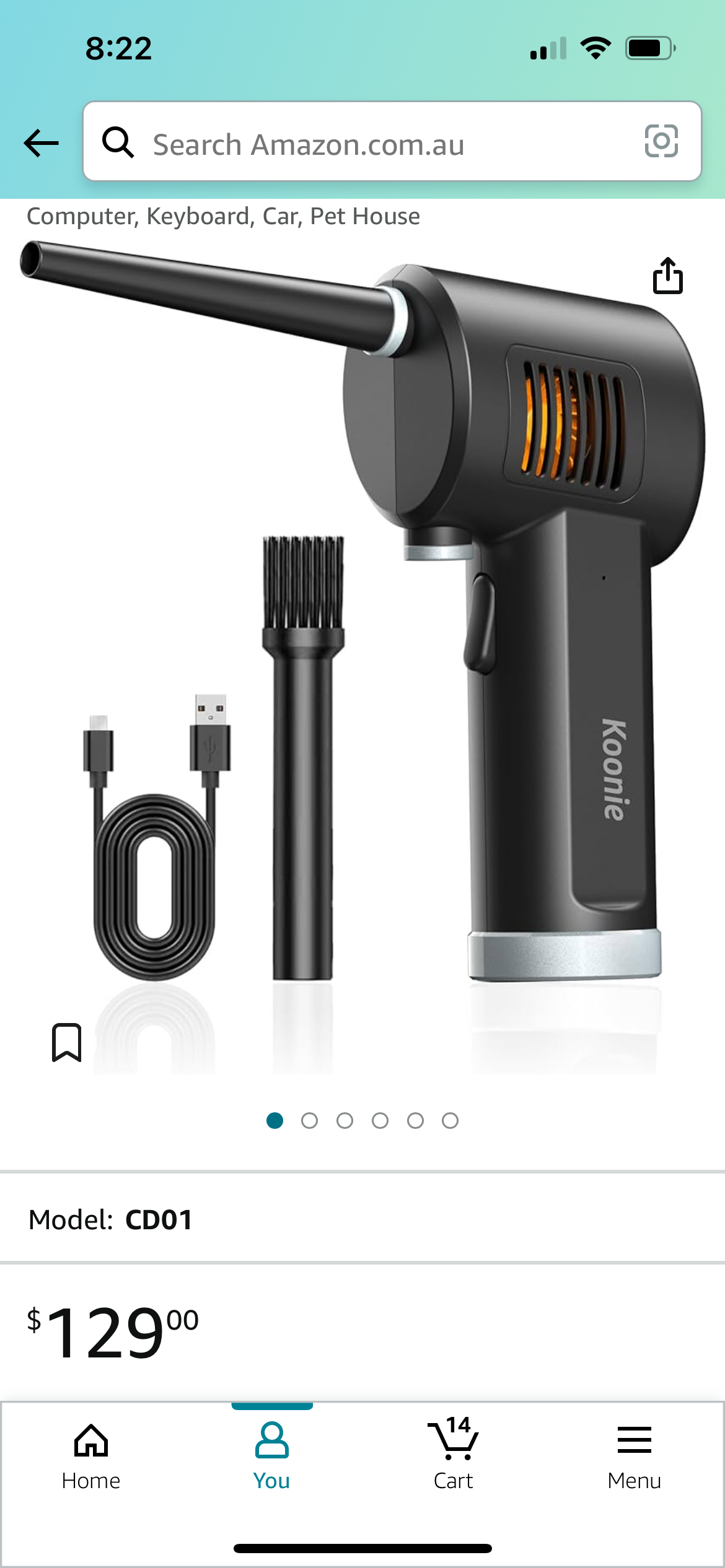


I’ve got one these doo hickeys. It was way cheaper when I bought it but it’s really good.
Used it to clean up a very dirty system that I turned into a server. Give my rigs a once over with it every few months. It’s awesome on keyboards too.
Sent from my iPhone using Tapatalk


Log in to remove this Banner Ad


Yeah I have the same one, although I reckon it was under another name. The location for the spare nozzle is garbage but the unit itself works well.I’ve got one these doo hickeys. It was way cheaper when I bought it but it’s really good.
Used it to clean up a very dirty system that I turned into a server. Give my rigs a once over with it every few months. It’s awesome on keyboards too.
Sent from my iPhone using Tapatalk
Sounds like the 4080 Super is directly targeting the 7900XTX, which could trigger a price war too.I couldn't find a quick video that wasn't a long talking head but the TLDR is 3 new cards coming:
4080 Super
4070 Ti Super
4070 Super
They're superseding the non-super varients and NVIDIA's recommended pricing is actually cheaper. So who knows if that translates into real world prices. If you're hunting for an upgrade and don't want a Super then current non-super stock is probably going to get decent discounts as the retailers try to clear them.
Sounds like the 4080 Super is directly targeting the 7900XTX, which could trigger a price war too.



I got the 42" LG OLED last year, I highly, highly recommend having an OLED monitor for gaming.All those new 32" 4K QD-OLEDs being shown off at CES look awesome. Looks like I might be in for a new screen this year and go full time 4K.

All those new 32" 4K QD-OLEDs being shown off at CES look awesome. Looks like I might be in for a new screen this year and go full time 4K.
I was looking at the Alienware 32" 4k this morning and it looks super appealing... And I definitely need to upgrade my setup this year.


Hey team, quick question!
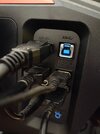
The USB ports on the back of my monitor don't work, I'm setting up the home office for desktop and work laptop. Do I need to power up the USB b port to power the mouse and keyboard? Is there a USB a - USB b dual switch thingy that can toggle between the two?
View attachment 1885367
Hey team, quick question!
The USB ports on the back of my monitor don't work, I'm setting up the home office for desktop and work laptop. Do I need to power up the USB b port to power the mouse and keyboard? Is there a USB a - USB b dual switch thingy that can toggle between the two?
View attachment 1885367
It doesn't have a switch, I toggle between display port and HDMI. But I need to power that USB b port to power the USB a? Since they're not working atmIf the monitor doesn't have a KVM switch then you'll need that USB B as a passthrough. Of course that can only connect to one computer at a time but there are USB switching devices out there you might be able to try.
Thanks!You're USB hub is powered by the USB-B port.
This is the case for every monitor I've ever encountered. I've never gotten the passthrough to work as dwwaino has mentioned,but this was years ago.
Hey team, quick question!
The USB ports on the back of my monitor don't work, I'm setting up the home office for desktop and work laptop. Do I need to power up the USB b port to power the mouse and keyboard? Is there a USB a - USB b dual switch thingy that can toggle between the two?
View attachment 1885367
If the monitor doesn't have a KVM switch then you'll need that USB B as a passthrough. Of course that can only connect to one computer at a time but there are USB switching devices out there you might be able to try.
remotely you're into the world of ipkvm, which are even more expensive, but can be done with a pi ala
 pikvm.org


